My Agentic OS cockpit: why I built it and how to get it
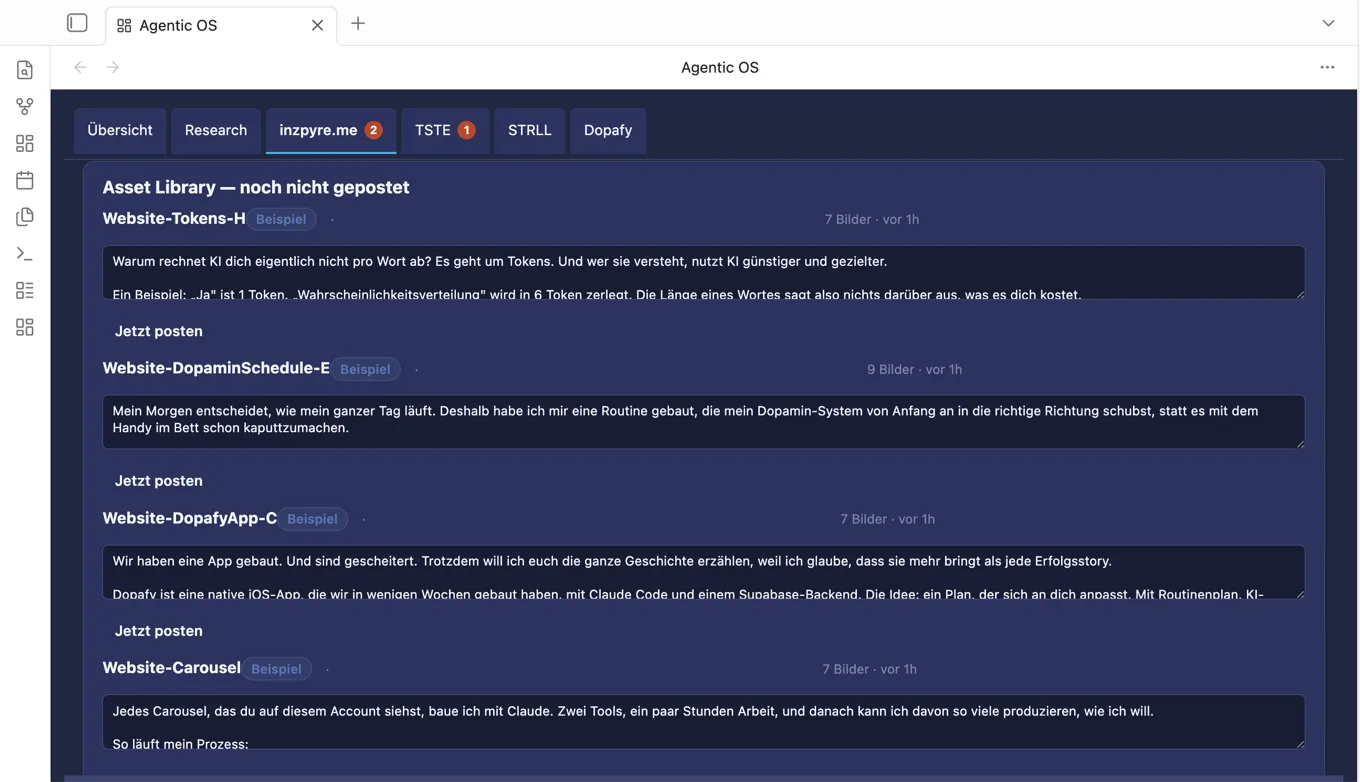
I'm building several projects in parallel right now. Dopafy, my first app for dopamine management, is live and has its first customers. TSTE, my foodie app, launches in the next few days. STRLL, my travel app, follows shortly after. On inzpyre.me, I document all of it as a blog.
Keeping track of so many projects at once is hard. For each one, I manage social media myself or let agents handle outreach.
So I built a cockpit. A plugin for Obsidian that pulls together all my agents, automations, and metrics in one place: which skills and agents I use per project, an embedded terminal where Claude runs directly, plus a research feed for AI news and my to-dos. From there, I also direct my virtual employees.
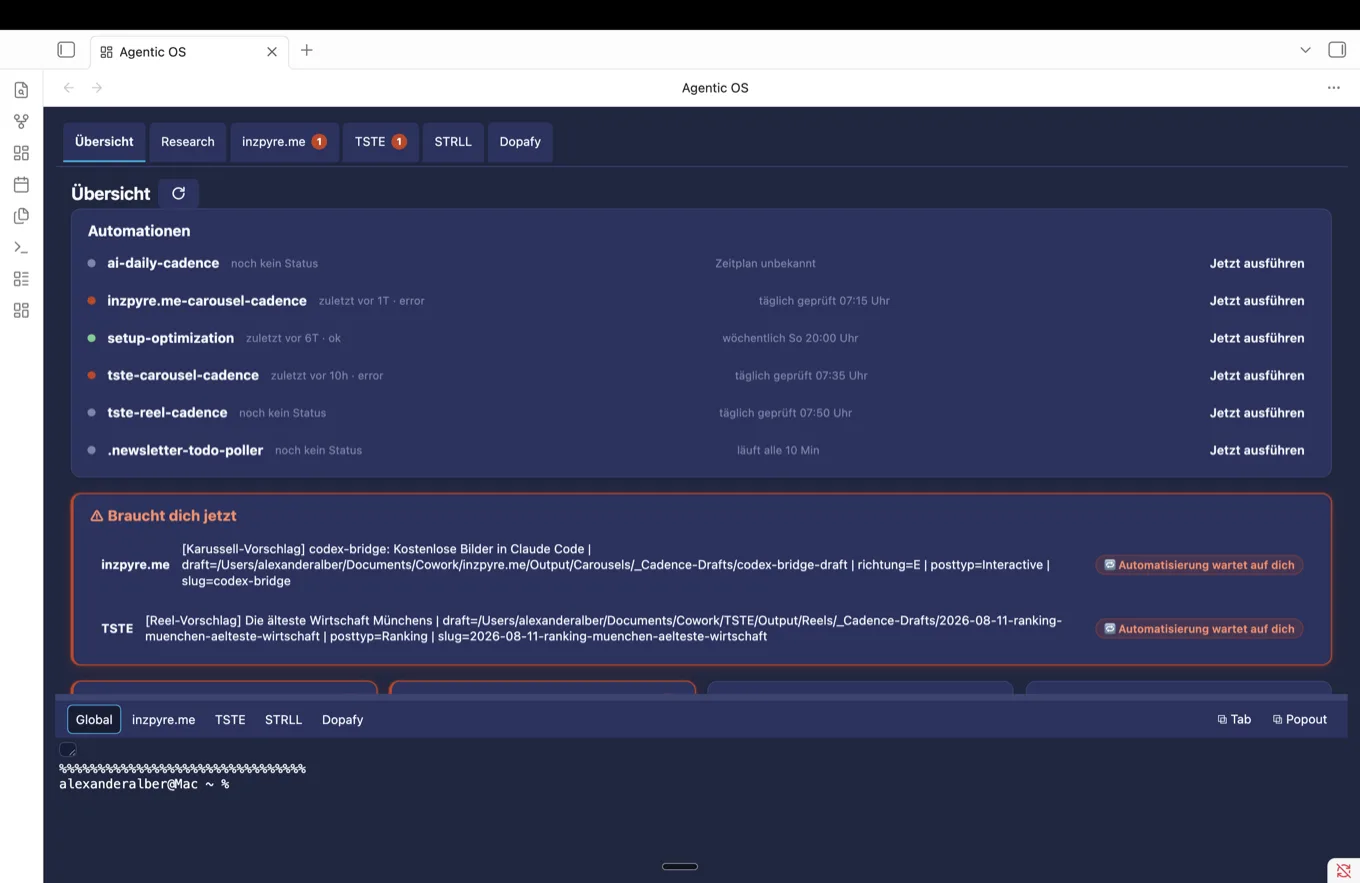
I also use it for two more projects I'm building with partners. I just handed them the cockpit.
The cockpit sits on top of an Obsidian vault, my second brain. Claude writes into it directly. Since Claude Code 2.1.59, auto-memory lands there automatically instead of in a chat history that eventually disappears. Every note, every decision stays.
A few requirements: you already use Claude Code and have a Claude Pro subscription. Download Obsidian and set up your vault, here's how. Then you can use my plugin directly, on Mac and Windows.
No npm install needed, unzip it and activate it in Obsidian, a short setup guide is included. You bring your own skills, agents, and automations. The cockpit just shows them. Download it now
We explain the full Agentic OS cockpit build step by step in the repository entry on automation. More here.
How to set it up
Install Obsidian
Free note-taking app, your folder becomes the vault.
Create a vault and start Claude
Create an empty folder, open it in Obsidian via 'Open folder as vault', then start Claude Code in the same folder.
mkdir ~/second-brain
cd ~/second-brain
claudeInstall my cockpit plugin
Unzip it, copy the folder to .obsidian/plugins/agentic-os-inzpyre, activate the plugin in Obsidian.